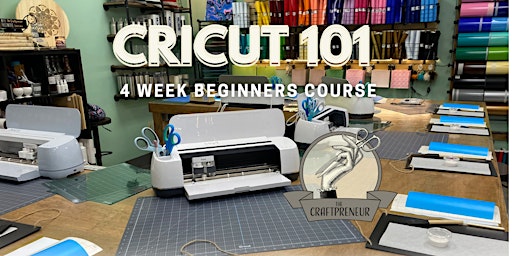
Cricut 101
Other
1470 New State Highway,Raynham MA 02767
13 April, 2022
Description
It's time to dive in and learn your Cricut once and for all! Get Cricut Confident & Learn from the bottom up! (PERFECT FOR BEGINNERS) We heard you got a Cricut for Christmas -or maybe you got one last year. Don't know where to start? We've got you covered. Stop in for a Cricut workshop like no other. Purchase the full course and receive your very own Siser® Weeding Tool Set!This course runs 4 consecutive Tuesday Nights . Date of ticket purchased is the first class in a set of four, ending on the 4th Tuesday from the beginning date. *Please Note: All attendees are asked to bring their own computer with them for this course. Tablets are not ideal in the Cricut learning process, so we ask that you bring a laptop, not a tablet. This will allow you to keep all projects and designs, while learning on the computer you'll be using in the future! If there is anyone that can not bring their computer for this class, we can provide a limited number for students. (Please call ahead as there are a limited number of computers available.) Week 1 - Haven't gotten a Cricut yet? Don't feel like "lugging?" use one of the Makers we have in-shop! You'll create a Design Space account if you don't already have one. We'll learn Design Space basics while teaching you the tips and tricks along the way. Get comfortable with the DS platform while learning the features and what they can do. Go home with a Oracal 651 Decal we'll create in-store!Week 2 - Fonts, Welding, Attaching and Slicing! Huh? Let's make fonts simple. We're going to play with the fonts and all the options for changing it up. Make those cursive letters touch (Finally) and learn what styles are best to use in each project. Get a grip on some transfer tape and understand which are best used for your next craft. We'll learn to apply Oracal® 651 adhesive vinyls in this class. We'll be making a home decor piece, so get ready to bring home your creation!Week 3 - HTV! Yup, some people refer to it as "iron-on". Sit in on the explanation of what you really need, and what vinyl styles will work on which items! Siser® Heat Transfer Vinyl is our brand of choice here. It can be overwhelming - we're going to break it down while keeping it fun. You'll learn to upload an image to Design Space and where you can get the SVG's that everyone talks about. We'll be loading mats, cutting images, weeding mirrored images and applying them. We'll help answer those looming questions. You'll take home your very own heat transfer item you make in class!Week 4 - Making a Tee-Shirt (Correctly!) We'll be creating a multi-colored tee shirt that you design. We'll weed the separate designs and align them when we press them. Get the proper alignment down on tee shirts, learn the correct temperatures to press with, and how long you need to press it for. How large do you make those designs? What kind of fabrics work best? We got the answers. Go home with a tee-shirt in your size & design from this class!
Discussion
By posting you agree to the Terms and Privacy Policy.